Cowork
If it can be done in a browser, hand it over.
A side panel in your own Chrome. It sees the page you see, clicks what you would click, and works with the accounts you are already signed into — while you get on with something else.

Your browser, not a copy of it
It runs where you already are: your sessions, your tabs, your access. There is no separate account for it to log into and no password for you to hand over.

It reads the page and acts on it
Navigate, read, click, type, scroll, capture — the same moves you would make yourself, step by step while you watch or look away. That includes the portals and forms you have been putting off, filled in from what it already knows. It never types a credential; that part stays with you, every time.
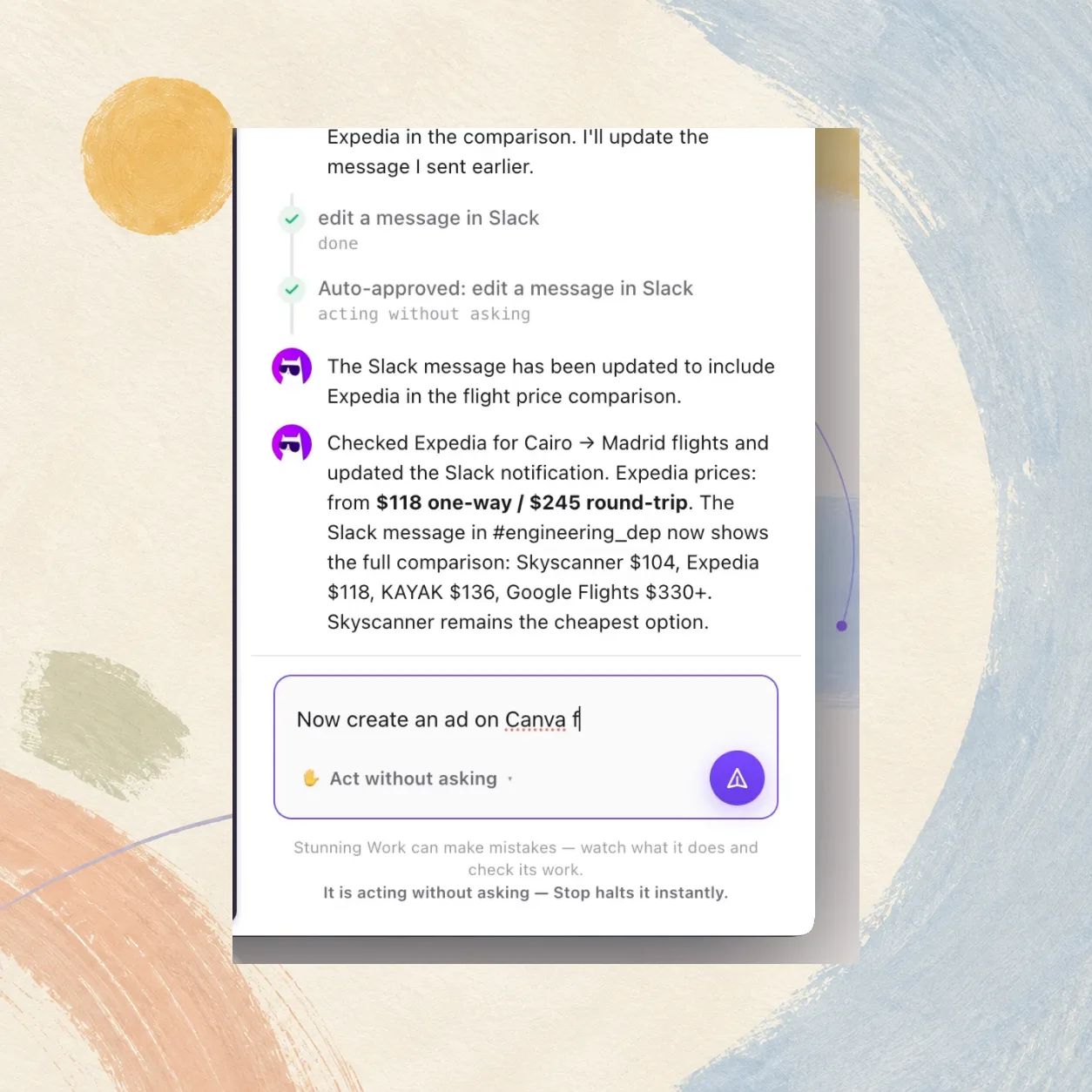
Research that ends in an answer
Competitors, suppliers, prices. It opens the tabs, reads them and comes back with the comparison — instead of leaving you thirty tabs to go through yourself.
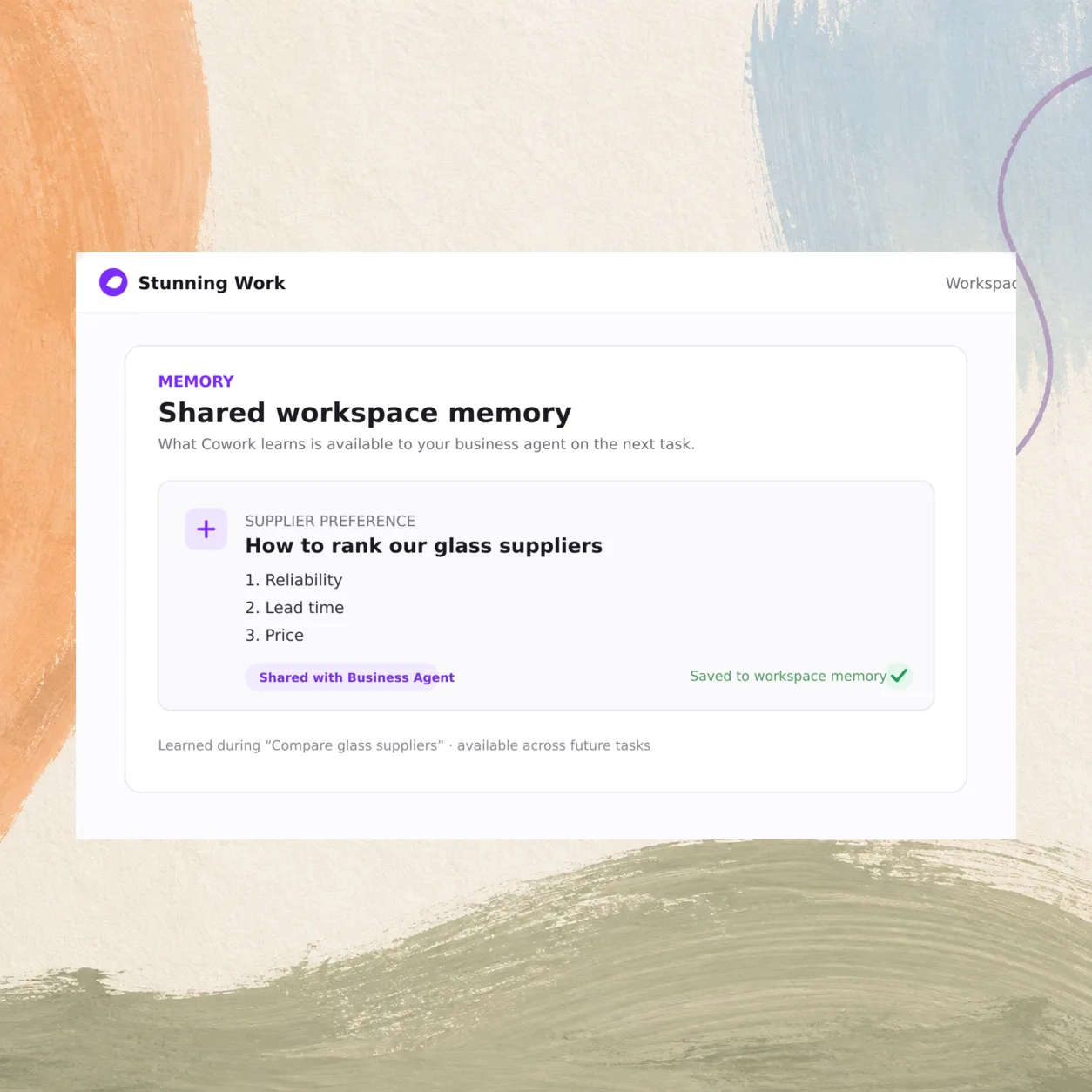
It remembers between tasks
What it learns goes into the same memory your business agent reads. Tell it once how your suppliers are ranked and the next task starts from there.
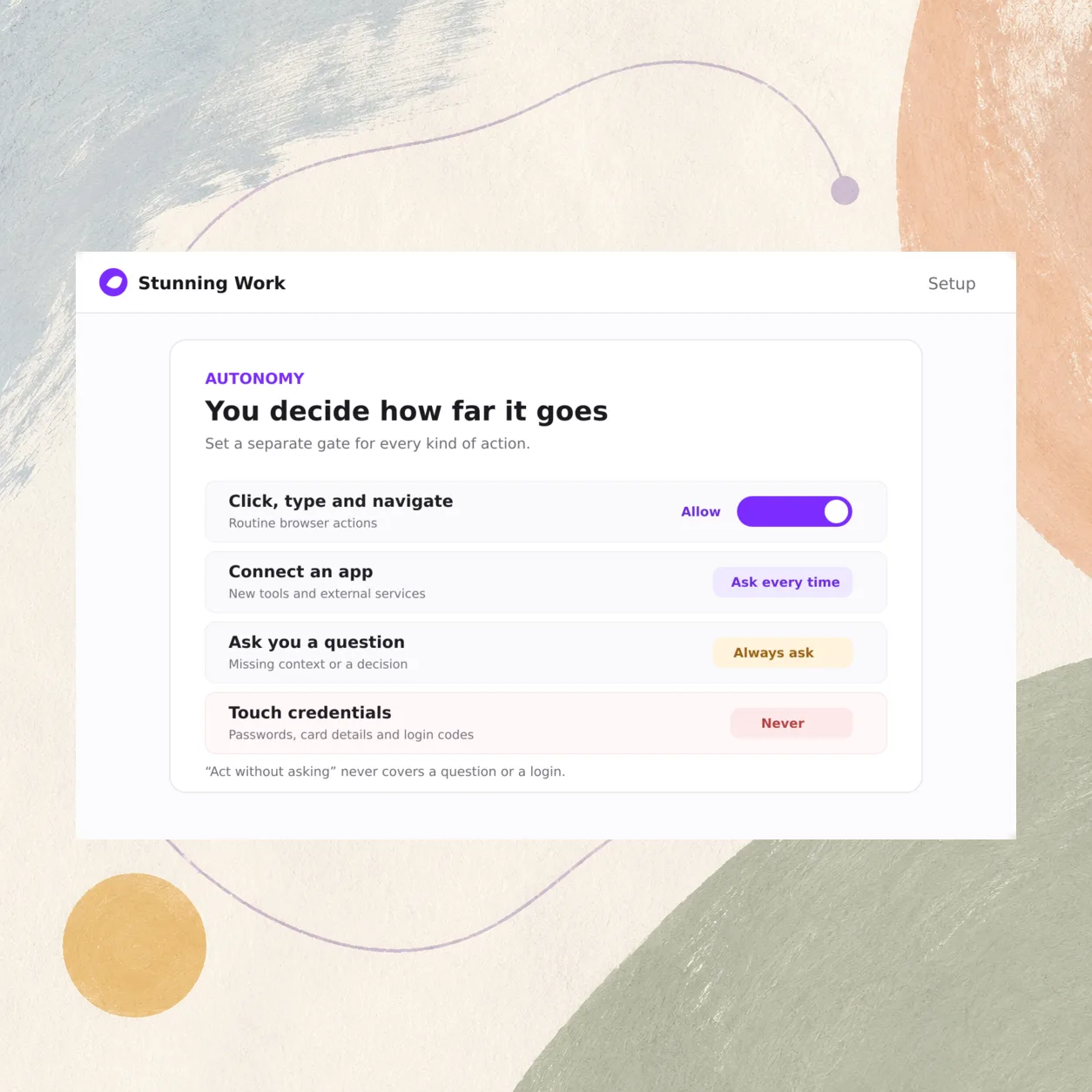
You decide how far it goes
Separate gates for clicking, connecting an app, asking you something and touching credentials. Turning on "act without asking" never covers a question or a login.
Questions
A Chrome extension that opens as a side panel beside the page you are working on, so you can watch every step. It is in early access and installed directly rather than from the Chrome Web Store for now.
It works inside sessions you are already signed into, and it never types a credential itself. Anything that needs a login or a payment detail is handed back to you.
It reads the page it has been asked to work on. You start the task, and you can stop it at any point.
It can reach the same connected tools your business agent uses — and as there, anything that writes or sends waits for your approval.
Yes. Both read and write the same workspace memory, so a fact only has to be established once.
Yes, on the same channel your agent uses — Telegram, WhatsApp or iMessage.